
Published by FutureTecEra

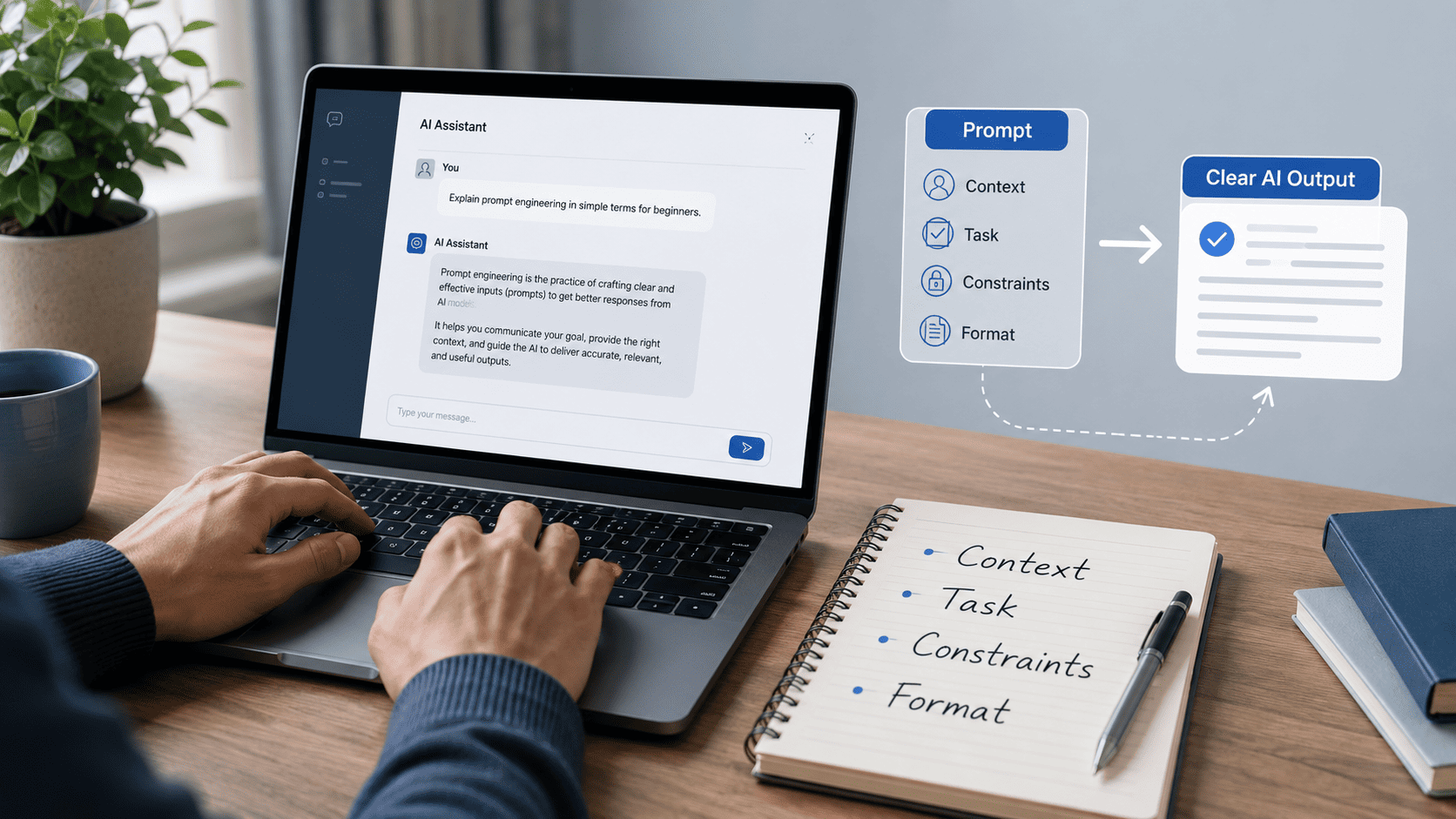
Artificial Intelligence is now part of everyday digital work. People use AI tools such as ChatGPT, Claude, and Gemini to draft ideas, organize research, refine writing, create outlines, explore code, and assist with creative projects. However, the quality of the response often depends on one simple element: the prompt.
This FutureTecEra guide to AI Prompt Engineering for Beginners explains how to write clearer, more practical prompts without making the process complicated. Whether you are a writer, student, creator, marketer, or beginner exploring AI tools, learning how to give clearer instructions can allow you to receive more focused, organized, and practical responses.
In this guide, you will learn what prompt engineering means, why prompt structure matters, how AI responds to context and constraints, and how to refine your prompts through examples, testing, and human review. The goal is not to treat AI as an instant solution, but to use it as a practical assistant that still requires clear direction and thoughtful editing.
Before exploring prompt frameworks and examples, start with a clear foundation that explains how AI tools respond to instructions, context, and user goals.
Start Here — Your AI Learning Path
What Is Prompt Engineering?
Prompt Engineering is the practice of writing clear, structured, and practical instructions for AI tools. In simple terms, it allows you to explain what you want the AI to do, what information it should consider, and how the final answer should be presented. This is especially important for anyone learning AI Prompt Engineering for Beginners, because small changes in wording can lead to noticeably different responses.
A prompt can be a short question, a detailed instruction, a creative request, a content brief, a coding task, or a structured template. The goal is not to “control” the AI perfectly, but to guide it with enough context, clarity, and direction so the response becomes more relevant, focused, and manageable to edit.
Prompt engineering combines creativity and structure. It requires creativity because language, tone, examples, and audience matter. It also requires structure because AI tools respond more clearly when your request includes a defined task, relevant background, specific limits, and a preferred output format. A well-written prompt can turn a vague response into something more focused, practical, and aligned with your goal.
Why Prompt Engineering Matters
Many beginners start by typing short requests such as “write about marketing” or “explain AI.” These prompts can produce an answer, but the response is often too broad, generic, or difficult to use directly. Prompt engineering matters because it teaches you how to give AI tools clearer direction before expecting clearer output.
As AI tools become part of writing, research, design, learning, coding, planning, and content workflows, users need more than basic commands. They need prompts that explain the audience, purpose, tone, format, and expected depth. This is where prompt engineering becomes a practical digital skill rather than a technical buzzword.
- Precision: A clear prompt allows you to guide the topic, tone, structure, and level of detail.
- Efficiency: A structured prompt can reduce unnecessary rewriting and guide you toward a workable draft with fewer revisions.
- Creativity: Clearer prompts can generate ideas, angles, outlines, examples, and alternative versions.
- Consistency: Reusable prompt formats can maintain a similar style across articles, captions, scripts, or learning materials.
- Human review: Prompt engineering does not replace judgment. It can produce clearer drafts that still require editing, fact-checking, and refinement.
For a blog like FutureTecEra, AI Prompt Engineering for Beginners fits naturally into an educational AI learning path. It guides readers in understanding how to work with AI responsibly, without treating the tool as magic or expecting a polished response from a single short command.
How AI Responds to Prompts
When you write a prompt, an AI model does not understand your request exactly like a human would. It analyzes your words, context, patterns, and instructions to generate a likely response. That is why vague prompts often lead to vague answers, while specific prompts usually produce more focused and relevant responses.
For example, a prompt such as “write an article about business” leaves too many decisions open. The AI does not know the audience, length, tone, angle, format, or goal. A clearer prompt would say: “Write a 900-word beginner-friendly article about eco-friendly marketing ideas for small local businesses. Use clear language, practical examples, and H2 headings.”
To make prompt writing more manageable, think of every clear prompt as a combination of three foundations: context, instruction, and constraints. These elements allow the AI to understand what you need and how the response should be shaped.
- Context: the background information the AI should consider before answering.
- Instruction: the main task you want the AI to complete.
- Constraints: the limits or preferences, such as tone, length, format, audience, or style.
- Weak Prompt: Write something about marketing.
- Refined Prompt: You are writing for beginners. Create a 700-word blog section explaining five simple social media ideas for small businesses. Use clear examples, short paragraphs, and a friendly educational tone.
The difference is not only length. The refined prompt gives the AI a role, audience, task, structure, and tone. This is the core idea behind clear and responsible prompt engineering.
Key Elements of a Well-Structured Prompt
Every well-structured prompt has a few basic building blocks. You do not need to use all of them every time, but understanding them makes your prompts more dependable. This is especially relevant when creating articles, summaries, research notes, image prompts, video scripts, or learning materials.
| Prompt Element | What It Means | Simple Example |
|---|---|---|
| Role | The perspective or knowledge level you want the AI to use. | Act as a beginner-friendly AI tutor. |
| Task | The exact action you want the AI to complete. | Explain prompt engineering in simple terms. |
| Audience | Who the answer is written for. | Write for beginners with no technical background. |
| Constraints | The limits that shape the final response. | Use fewer than 300 words and avoid jargon. |
| Format | How the answer should be organized. | Use a short introduction, bullet points, and a summary. |
Once you combine these elements, AI Prompt Engineering for Beginners becomes more manageable to apply in real tasks. AI responses become clearer to guide and compare, and you can reuse the same structure for different tasks by changing only the topic, audience, or format. This turns prompting from random trial and error into a more organized workflow.
How Prompt Engineering Has Evolved
Prompt engineering began as a simple practice: users tested different phrases to receive clearer answers from AI tools. Over time, it became more structured. People started using roles, examples, constraints, templates, and reusable prompt frameworks to strengthen consistency.
Today, prompt engineering is no longer limited to writing clever commands. It is part of broader AI workflows that include planning, drafting, reviewing, editing, comparing outputs, and checking accuracy. In many cases, more dependable responses come from combining clear prompts with human judgment, not from depending on a single answer.
For beginners, this evolution is good news. You do not need to memorize complex formulas to get started. You only need to understand the basics: define your goal, give context, set boundaries, request a clear format, and review the response carefully.
In the next section: this guide to AI Prompt Engineering for Beginners explores the main types of prompts, practical frameworks such as the 4C Model, and simple techniques for refining AI responses in everyday work.
Types of Prompts and Practical Prompting Techniques
Prompt engineering becomes clearer to understand when beginners separate prompt types from prompting techniques. Prompt types explain the form of the request, while techniques explain how to shape, refine, and review that request for clearer AI responses.
In this section, we will look at the main prompt types first, then move into practical techniques that can guide beginners in writing more organized prompts for writing, learning, planning, research, and everyday AI use.
Understanding the Core Types of Prompts
Prompts come in different forms depending on what you want the AI to do. Some prompts give a direct instruction. Others provide background information, examples, a role, or a sequence of tasks. Learning these types allows beginners to choose a suitable prompt style for each situation.
Below are the main prompt types every beginner should understand when learning AI Prompt Engineering for Beginners.
Instruction-Based Prompts
Instruction-based prompts are the simplest and most common type. You tell the AI exactly what you want it to do. This works well for direct tasks such as summarizing, rewriting, explaining, translating, outlining, or generating ideas.
Example:
“Write a 200-word introduction about climate change for a school project.”
When to use: Use this prompt type when your task is clear and does not require much background information.
Practical tip: Make the instruction specific. Instead of asking for “an article,” mention the audience, length, tone, and format.
Role-Based Prompts
Role-based prompts assign a perspective to the AI before the task. This can shape the answer’s tone, depth, and style. For example, asking the AI to respond as a teacher usually creates a different response than asking it to respond as a technical analyst.
Example:
“You are an experienced data science teacher. Explain the difference between supervised and unsupervised learning in simple terms.”
When to use: Use role-based prompts when the response needs a specific level of knowledge, tone, or teaching style.
Practical tip: Combine the role with context. For example: “You are a beginner-friendly AI tutor. Explain this topic to someone who has never used AI before.”
Contextual Prompts
Contextual prompts provide background information before the request. This allows the AI to understand the situation instead of answering in a generic way. Context is especially relevant when you need assistance with a draft, a brand tone, a learning goal, or a specific audience.
Example:
“I’m creating a beginner-friendly blog about AI. Here is my article draft. Please rewrite it to sound clearer, more structured, and more readable.”
When to use: Use contextual prompts when the AI needs background information to give a more relevant answer.
Practical tip: Give the AI the important context first, then ask your question. This usually produces a more focused response.
One-Shot and Few-Shot Prompts
One-shot and few-shot prompts use examples to guide the AI. A one-shot prompt includes one example. A few-shot prompt includes several examples. This approach is practical when you want the AI to follow a specific pattern, tone, or format.
Example:
Translate the following short phrases from English to French using the same format:
Hello → Bonjour
Thank you → Merci
Good morning → Bonjour
When to use: Use this method for style imitation, formatting, classification, translations, repeated content formats, or prompt templates.
Practical tip: Use two to five examples when possible. Too few examples may be unclear, while too many can make the prompt unnecessarily long.
Structured Reasoning Prompts
Structured reasoning prompts ask the AI to explain its approach in an organized way before giving a final answer. Instead of requesting hidden reasoning, you can ask for a brief explanation, a checklist, assumptions, or a short summary of the method used.
Example:
“Solve this math problem and provide a short explanation of the method used before the final answer: What is 23 × 47?”
When to use: Use this prompt type for math, planning, comparisons, coding, decision guidance, or any task where the answer requires a clear explanation.
Practical tip: Ask for a concise explanation rather than a long internal reasoning process. This keeps the response clear, readable, and more manageable to verify.
Prompt Chaining
Prompt chaining means using several connected prompts instead of one long request. Each prompt completes one part of the task, and the response becomes input for the next part. This approach is practical for larger projects because it reduces confusion and makes review more manageable.
Example:
First request: “Generate three article ideas about AI for beginners.”
Second request: “Choose the most practical idea and create a detailed outline.”
Third request: “Turn the outline into a clear introduction with a friendly tone.”
When to use: Use prompt chaining for long-form writing, research summaries, video scripts, learning plans, content repurposing, and workflow design.
Practical tip: Keep each prompt focused on one task. This makes the final response more organized and simpler to refine.
Practical Prompting Techniques for Clearer AI Responses
After understanding the main prompt types, you can refine AI responses with practical techniques. These methods are beginner-friendly and can be applied to writing, learning, planning, design, coding, and research tasks.
The 4C Prompt Framework
The 4C framework is a simple way to structure a prompt. It allows you to include the most important details without making the request confusing.
- Context: explain the background or goal.
- Command: state the main action you want.
- Constraints: add limits such as tone, length, format, or audience.
- Clarity: keep the request simple, organized, and easy to follow.
Example:
Context: I’m writing a beginner’s guide about ChatGPT.
Command: Create a clear article outline.
Constraints: Use simple English, five main sections, and SEO-friendly headings.
Clarity: Format the answer with H2 headings and short bullet points.
This framework is practical because it turns a rough idea into a complete instruction. It also guides beginners away from vague requests that lead to generic answers.
Meta Prompting
Meta prompting means asking the AI to assist you in refining the prompt itself. Instead of trying to write a complete prompt immediately, you can ask the AI to suggest clearer versions, identify missing details, or recommend more suitable formats.
Example:
“Refine this prompt so it produces clearer, more practical answers for beginners: [paste your prompt here].”
When to use: Use meta prompting when your prompt produces unclear or inconsistent responses, when you are building reusable templates, or when you want to make your instructions more specific.
Practical tip: Ask the AI to explain what it changed in the prompt. This allows you to understand the logic behind clearer prompt design.
Layered Prompting
Layered prompting breaks a larger task into smaller connected layers. Each layer focuses on one part of the work. This approach is practical for long-form content, research notes, course outlines, video scripts, or article updates.
Example:
First layer: “Summarize this article in three key points.”
Second layer: “Expand the second point with examples.”
Third layer: “Turn the expanded idea into a short LinkedIn post.”
Layered prompting strengthens clarity because it gives you more control over each part of the process. It also makes it simpler to identify where the output requires editing.
Tone and Style Prompts
Tone and style prompts tell the AI how the answer should sound. This approach is relevant for brand writing, educational content, social posts, newsletters, and website copy. However, describing the preferred style clearly is more appropriate than asking the AI to copy a specific living person’s voice.
Example:
“Rewrite the following paragraph in a clear, professional, beginner-friendly tone. Keep the meaning, reduce exaggerated language, and use short paragraphs.”
When to use: Use tone prompts when your draft needs to sound more professional, friendly, educational, concise, or accessible.
Practical tip: Provide a short sample of your preferred tone if you have one. This allows the AI to follow your style more consistently.
Self-Review Prompts
Self-review prompts ask the AI to review its own draft against clear criteria. This can identify unclear areas before the final human edit, but the response still requires careful review.
Example:
“Write a 150-word paragraph about AI in education. Then review it for clarity, accuracy, tone, and beginner-friendliness. Suggest a revised version.”
When to use: Use self-review prompts for article drafts, summaries, email copy, explanations, and content that needs a quality check.
Practical tip: Give the AI a checklist. For example: “Check for clarity, overpromising, repeated phrases, and missing context.”
Role Sequence Prompting
Role sequence prompting uses more than one perspective to refine a response. For example, you can ask the AI to review an idea as a researcher, simplify it as a teacher, and then refine the wording as an editor. This can make the final output more balanced.
Example:
“First, review this topic as a researcher and identify the key points. Then simplify the explanation for beginners. Finally, rewrite it as a clear blog introduction.”
This method is practical because one perspective may focus on accuracy, another on simplicity, and another on readability. Combining these perspectives can produce a more organized final draft.
Zero-Shot Prompts
A zero-shot prompt asks the AI to complete a task without examples. This works well when the instruction is clear and the task is familiar. It is practical for brainstorming, simple explanations, comparisons, and first drafts.
Example:
“Explain how generative AI can assist with small business marketing. Include benefits, limitations, and practical examples.”
When to use: Use zero-shot prompts when you want a quick starting point and do not need the AI to follow a specific example or format.
Practical tip: If the first answer is too general, add context, audience, and format in a follow-up prompt.

After learning the basics of AI Prompt Engineering for Beginners, you may find it relevant to explore how AI-assisted skills can be applied to writing, research, planning, creativity, and everyday digital work.
Read: AI-Assisted Digital Skills for Beginners
In the next section: you will move from prompt types and techniques to practical guidelines, real-world examples, prompt tools, common mistakes, and a simple learning plan for applying prompt engineering with greater clarity.
Practical Guidelines for Clear Prompt Engineering
Prompt engineering may look simple at first because it starts with ordinary language. However, clearer responses usually come from structure, testing, and careful review. A well-structured prompt does more than ask a question. It gives the AI enough context to understand the purpose, enough direction to remain focused, and enough constraints to produce a relevant response.
For beginners, the goal is not to write complicated prompts. The goal is to write clear prompts that reduce confusion. When your prompt explains the audience, format, tone, and expected response, the AI output becomes more manageable to use and edit.
These practical guidelines make AI Prompt Engineering for Beginners more manageable to apply in real tasks such as writing, research, planning, coding, and content organization.
Be Specific and Descriptive
A vague prompt often produces a vague answer. Instead of asking the AI to “write about AI tools,” describe the exact type of content you need. Mention the audience, goal, format, tone, and length whenever those details matter.
Example:
Instead of: “Write about AI tools.”
Use: “Write a 500-word beginner-friendly blog section explaining five AI tools for students. Use simple language, short paragraphs, and practical examples.”
This small change gives the AI a clearer target. It also allows you to avoid generic answers that may require extensive editing later.
Give Context Before the Command
Context tells the AI why the task matters and who the response is for. Without context, the AI may answer too broadly or choose the wrong tone. A short background sentence can make the final answer more relevant.
Example:
“I’m creating a short educational video for small business owners who are new to AI. Please write a clear one-minute introduction that explains how AI can assist with daily planning without sounding too technical.”
In this example, the AI knows the audience, the format, the topic, and the tone. That makes the response clearer to guide.
Use a Clear Sequence for Complex Tasks
When a task has several parts, avoid placing everything into one long, confusing prompt. A clear sequence allows the AI to follow the logic of the request and gives you more control over the output.
Example:
First, generate three content ideas about AI for beginners.
Then, choose the most practical idea.
Finally, write a 150-word introduction for that topic in a friendly educational tone.
This approach is practical for outlines, article planning, research summaries, video scripts, email drafts, and longer content workflows.
Test and Refine Your Prompts
Prompt engineering develops through testing. A first prompt may produce a practical draft, but a second or third version often provides a clearer response. Testing allows you to identify which words, constraints, examples, or formats lead to clearer output.
Example:
“Summarize this article” is too general.
“Summarize this article in three bullet points for beginners, then add one practical takeaway” is clearer and more manageable to use.
When reviewing AI output, ask yourself: Is the answer accurate? Is it clear? Is the tone suitable? Does it match the audience? Does it need human editing before publishing?
Set Boundaries and Constraints
Constraints guide the response. They can include word count, tone, format, audience level, reading difficulty, examples, or things to avoid. Good constraints reduce vague or overly broad answers.
Example:
“Explain quantum computing in less than 150 words for a beginner. Avoid advanced math and use one simple analogy.”
Clear limits do not make the prompt weaker. They make the response more focused.
Include Examples When Needed
Examples allow the AI to understand the style or structure you want. This is especially relevant when creating headlines, summaries, product descriptions, captions, tables, or repeated content formats.
Example:
“Here are two examples of beginner-friendly AI article titles. Write five more in a similar clear and educational style.”
Examples are valuable because they show the pattern instead of only describing it.
Combine Roles and Context Carefully
Role-based prompts can shape the tone and depth of a response. However, the role should be realistic and connected to the task. A role is most relevant when combined with context, audience, and format.
Example:
“You are a beginner-friendly UX educator. Explain how AI can assist with refining website usability for small e-commerce websites. Use simple examples and avoid technical jargon.”
This gives the AI a clear perspective without making the prompt exaggerated or unclear.
Real-World Uses of Prompt Engineering
Prompt engineering is practical because it applies to many everyday digital tasks. It can assist with content planning, learning, coding, design, research, and business communication. However, AI output should always be reviewed by a human before being published, submitted, or used for important decisions.
Content Creation and Marketing
Prompt engineering can assist creators with drafting article outlines, social media captions, newsletter ideas, video scripts, and content calendars. Clearer responses usually come when the prompt includes the target audience, platform, tone, and purpose.
Example:
“Act as a content strategist for a beginner-friendly AI blog. Create five article ideas about practical AI use for students. Include a short explanation for each idea.”
This type of prompt can guide brainstorming, but the final angle, accuracy, and originality still require human review.
Education and Learning
Students, teachers, and self-learners can use prompts to simplify complex topics, create study notes, prepare quizzes, or compare ideas. A good educational prompt should mention the learner’s level and the preferred explanation style.
Example:
“You are a patient science teacher. Explain the theory of relativity to high school students using a simple analogy and a short summary.”
AI can assist with learning, but it should not replace textbooks, teachers, or reliable references for important academic work.
Programming and Coding
Developers and learners can use prompts to generate code examples, explain errors, document functions, or compare programming approaches. The prompt should include the programming language, expected behavior, constraints, and any error messages when relevant.
Example:
“Write a Python function that checks whether a string is a palindrome. Use simple code, add comments, and explain the logic in beginner-friendly language.”
AI-generated code should always be tested. For real projects, review security, performance, and compatibility before using the code.
Design and Creative Planning
Prompt engineering is also practical for image ideas, visual briefs, brand concepts, presentation outlines, and creative directions. Instead of asking for a vague design, describe the subject, style, mood, colors, layout, and intended use.
Example:
“Create an image prompt for a realistic workspace showing a person organizing AI research notes on a laptop. Use a clean modern style, soft lighting, and a professional blue-gray color palette.”
This kind of prompt allows you to create more consistent visuals for articles, thumbnails, infographics, or social media posts.
E-Commerce and Product Writing
Prompt engineering can assist with organizing product descriptions, comparison tables, FAQ sections, and customer-friendly explanations. The prompt should include the product type, audience, tone, benefits, limitations, and required format.
Example:
“You are writing for first-time smartwatch buyers. Create a 100-word product description focusing on health tracking, battery life, and ease of use. Keep the tone clear and balanced.”
For product content, avoid exaggerated claims. A clear prompt should encourage balanced wording rather than unrealistic language.
Research and Decision Guidance
AI prompts can assist with summarizing long documents, comparing options, extracting key points, or organizing research notes. For sensitive or important topics, the output should be checked against reliable sources before being used.
Example:
“Summarize this report for a beginner. List the main findings, possible limitations, and three questions I should verify before making a decision.”
This positions AI as a practical research assistant while keeping human judgment at the center.
Practical Tools for Prompt Practice and Organization
You do not need advanced tools to begin learning AI Prompt Engineering for Beginners. A simple AI chatbot and a document for saving your clearest prompts are enough to start. However, some tools can assist you in testing, organizing, comparing, or reusing prompts in a more manageable way.
| Tool Type | How It Assists | Suitable Uses | Human Review Reminder |
|---|---|---|---|
| AI chat tools | Allow you to test prompts, rewrite drafts, explain topics, and compare versions. | Writing, learning, planning, brainstorming, and coding assistance. | Check accuracy, tone, and originality before using the output. |
| Prompt libraries | Store reusable prompts by topic, format, audience, or workflow. | Creators, students, marketers, and bloggers who repeat similar tasks. | Update saved prompts when your style, goals, or tools change. |
| Writing documents | Allow you to compare prompt versions and save notes about what worked. | Beginners building a simple prompt practice system. | Do not rely on one draft; revise and refine it manually. |
| AI image tools | Allow you to test visual prompts for style, lighting, composition, and subject clarity. | Blog images, thumbnails, illustrations, and infographic concepts. | Review visual accuracy, brand fit, and usage rights before publishing. |
For most beginners, the most practical “tool” is a simple habit: save your clearest prompts, write a short note about why they worked, and refine them over time.
The Future of Prompt Engineering
Prompt engineering is gradually moving beyond single text prompts. As AI tools become more capable, users are learning to design workflows that combine prompts, documents, images, voice, structured data, and review systems. This means the future of prompting is not only about asking clearer questions. It is also about building clearer processes.
For beginners, this shift is important. The central skill is not memorizing prompt formulas. It is learning how to define a goal, give context, test outputs, check accuracy, and refine the final response through human judgment.
In this sense, prompt engineering is becoming part of a larger digital skill set: AI-assisted research, content planning, workflow design, creative direction, and responsible editing.
Practical Tips for Refining Prompt Engineering Skills
To refine your prompting skills, treat AI as a practical assistant that requires direction, examples, and review. In AI Prompt Engineering for Beginners, clear prompting is not about using complicated words. It is about turning unclear requests into organized instructions that produce workable drafts.
Understand How the Model Responds
AI tools generate responses based on patterns, context, and instructions. They do not always understand meaning the way humans do. This is why your prompt should explain the goal clearly and include enough context for the model to respond in the right direction.
Use Simple Frameworks
Frameworks allow you to avoid random prompting. A simple structure such as Role → Task → Context → Constraints → Format can make your requests clearer to write and simpler to reuse. You do not need a complex formula for every task. You only need a repeatable structure that guides clearer thinking.
Document and Reuse Your Clearest Prompts
Create a small prompt library for your most common tasks. You can organize it by use case, such as article outlines, summaries, image prompts, captions, coding assistance, or research notes. Over time, this becomes a practical resource that saves effort and strengthens consistency.
Review Prompts When AI Tools Change
AI tools and model behavior can change over time. A prompt that worked well before may need adjustment later. Review your reusable prompts occasionally and update them when the output becomes too broad, too repetitive, or less aligned with your goals.
Combine AI Output with Human Judgment
Even a clear prompt cannot replace careful thinking. Always review facts, tone, clarity, and structure before using AI-generated content. More dependable output comes when AI assists with the workflow while you remain responsible for the final decision.
Common Mistakes in Prompt Engineering
Prompt design becomes clearer when you learn what to avoid. The following mistakes are common among beginners, but they can be corrected with a more structured approach.
- Being too vague: “Write a blog post” is too broad. Add the topic, audience, length, tone, and format.
- Ignoring context: The AI responds more clearly when it knows the goal, reader, and situation.
- Adding unrelated requests: Too many different tasks in one prompt can make the answer confusing.
- Skipping testing: Compare prompt versions to see which one gives the clearest output.
- Forgetting constraints: Mention limits such as word count, reading level, structure, and tone.
- Not reviewing the final answer: AI output can sound certain even when it needs editing or fact-checking.
Remember: every weak prompt can teach you something. Clearer prompting comes from practice, comparison, and careful editing.
How to Build Practical Prompt Engineering Skills
You do not need advanced technical knowledge before practicing AI Prompt Engineering for Beginners. A beginner can develop practical prompting skills by learning the basics of AI tools, practicing with real tasks, saving clear prompts, and reviewing outputs carefully.
Learn the Foundations of AI and LLMs
Start by understanding basic concepts such as tokens, context windows, temperature, examples, and limitations. You do not need deep technical knowledge, but knowing these terms allows you to write clearer prompts and understand why AI tools sometimes respond unpredictably.
Practice with Real Tasks
Use prompts for tasks you already do: writing an outline, summarizing a document, refining a paragraph, planning a video, or explaining a concept. Real practice is more valuable than collecting prompts you never test.
Create a Small Prompt Portfolio
A prompt portfolio is a collection of your clearest prompt examples and the responses they produced. It can allow you to track refinement, compare prompt versions, and develop greater clarity in your process. Keep notes about what worked, what failed, and what you changed.
Join Learning Communities Carefully
AI communities can be valuable for discovering new ideas and learning from others. However, avoid copying prompts without understanding them. Study why a prompt works, then adapt it to your own goals, audience, and content style.
Build a Responsible Practice Routine
Set aside time to test prompts, compare outputs, and refine your prompt library. Focus on clarity, practical value, accuracy, and ethical use. This turns prompt engineering into a practical learning habit instead of a one-time experiment.
Sample Workflow: Prompt Engineering in a Marketing Content Task
To see AI Prompt Engineering for Beginners in action, imagine a small team preparing content for a new productivity app. This is a sample workflow, not a performance claim. It shows how structured prompts can organize a content task more clearly.
Define the Goal
The team wants to prepare several content ideas for social media, an email newsletter, and a short promotional script. Before asking the AI to write anything, they define the audience, message, tone, and format.
- Audience: freelancers and small teams
- Goal: explain how the app assists with planning and focus
- Tone: clear, practical, and friendly
- Formats: short posts, email draft, and video script outline
Craft the Prompt
The team writes a structured prompt instead of a vague request.
- Role: You are a clear and practical content strategist.
- Context: The product is a productivity app for freelancers and small teams.
- Command: Generate content ideas for short social posts, one email newsletter draft, and one video script outline.
- Constraints: Keep the tone friendly, avoid exaggerated claims, and use simple language.
- Format: Organize the answer into three labeled sections.
Review and Refine
After receiving the first draft, the team reviews it for clarity, brand fit, accuracy, and repetition. They ask the AI to revise unclear sections, but they still make the final editorial decisions themselves.
Apply Human Editing
The final version is not copied directly from the AI output. The team adjusts the wording, checks the message, removes vague claims, and makes sure the content matches the audience. This is where human judgment strengthens the AI-assisted draft.
Takeaway: Prompt engineering works well when it follows a clear process: define the goal, write a structured prompt, review the output, and edit carefully before publishing.
Comparison of Common AI Tools for Prompt Practice
| Tool | Suitable Uses | Prompting Focus | Beginner Reminder |
|---|---|---|---|
| ChatGPT | Writing, brainstorming, explanations, planning, and general AI practice. | Clear instructions, context, formatting, and iterative refinement. | Review facts and edit the final text before publishing. |
| Claude | Longer text review, summaries, structured writing, and document-focused tasks. | Detailed context, clear constraints, and careful output structure. | Use precise instructions when working with long drafts. |
| Gemini | Research assistance, multimodal tasks, idea exploration, and content planning. | Context-rich prompts, comparison requests, and structured summaries. | Check important information against reliable sources. |
| Midjourney | Visual concepts, image styles, creative directions, and design exploration. | Subject, style, lighting, composition, mood, and visual details. | Review image accuracy and brand suitability before use. |
Practical note: Each tool can assist with a different part of the creative or learning process. The most suitable choice depends on your task, your workflow, and how carefully you review the final output.
7-Day Practical Learning Plan for Prompt Engineering
This simple learning plan is designed for beginners who want to practice AI Prompt Engineering for Beginners in a structured but realistic way. The goal is not perfection in one week. The goal is to build a practical habit of testing, reviewing, and refining prompts.
- Day 1: Learn basic AI concepts such as prompts, context, tokens, and limitations. Test three simple instruction-based prompts.
- Day 2: Practice role-based prompts. Compare how the answer changes when the AI responds as a teacher, editor, or researcher.
- Day 3: Practice contextual prompts. Give the AI background information before asking for an answer.
- Day 4: Test one-shot and few-shot prompts. Provide examples and ask the AI to follow the same pattern.
- Day 5: Use layered prompting for a small content task, such as turning an idea into an outline and then into a short introduction.
- Day 6: Save your clearest prompts in a simple prompt library. Add notes about what worked and what requires further refinement.
- Day 7: Create a mini-project, such as a short article outline, three social captions, or a study summary, using the techniques you practiced.
Tip: After each practice session, write one sentence about what made the output clearer. This allows you to learn from your own experiments instead of simply collecting prompts.
Advanced Common Mistakes and How to Fix Them
After learning the basics, beginners often face more subtle problems. These mistakes do not mean the prompt is bad; they simply show where the prompt needs clearer structure.
- Mistake: Overloading one prompt with many unrelated requests.
Fix: Use prompt chaining and handle one subtask at a time. - Mistake: Ignoring context limits when working with long documents.
Fix: Divide large text into sections and summarize each section before combining the insights. - Mistake: Using complex jargon without explaining the goal.
Fix: Use simple language and provide examples when the task is unfamiliar. - Mistake: Accepting the first answer without evaluation.
Fix: Ask the AI to review the draft against clear criteria, then apply your own final edit. - Mistake: Asking for creativity without boundaries.
Fix: Define the audience, tone, format, and purpose so the creative output remains relevant.
Practice Project Ideas Using Prompt Engineering
Practice projects allow you to move from theory to real use. The following ideas are educational exercises designed to develop greater clarity in prompt design, output review, and content organization.
- Beginner article outline: Create an outline for a simple AI topic, then refine the headings and introduction.
- Social content practice: Generate three short captions for the same idea using different tones.
- Study guide: Ask the AI to turn a complex topic into notes, questions, and a short recap.
- Image prompt brief: Write a detailed visual prompt for a blog image using subject, style, colors, and composition.
- FAQ refinement task: Ask the AI to clarify unclear FAQ answers while keeping them accurate and concise.
- Research summary: Paste a short article or report and ask for key points, limitations, and follow-up questions.
- Prompt comparison exercise: Write two versions of the same prompt and compare which output is clearer.
Practical tip: Focus on one small project at a time. A narrow task makes it more manageable to understand which prompt choices produced the clearer response.
Key Takeaways
- Prompt engineering is a practical skill that combines clarity, context, structure, testing, and human review.
- Clearer prompts usually include a defined task, audience, constraints, and preferred output format.
- Prompt chaining and layered prompting can make complex tasks more manageable.
- AI tools can assist with writing, learning, design, coding, research, and planning, but their output should be reviewed carefully.
- A simple prompt library allows beginners to strengthen consistency and learn from previous experiments.
- A responsible way to refine prompting skills is to practice with real tasks, compare outputs, and adjust prompts over time.
With consistent practice and thoughtful editing, AI Prompt Engineering for Beginners becomes more manageable to understand and apply. The real value of prompt engineering is not in using complex formulas, but in asking clearer questions and turning AI output into well-reviewed work.

This mind map gives readers a practical final view of AI Prompt Engineering for Beginners, from writing clearer prompts to refining them through real practice and responsible review.
FAQ About AI Prompt Engineering for Beginners
What is prompt engineering?
Prompt engineering is the practice of writing clear, structured, and practical instructions that guide AI tools toward more relevant responses. It includes defining the task, giving context, setting constraints, and reviewing the final output carefully.
Do I need coding skills to learn prompt engineering?
No. Coding knowledge can be relevant for technical tasks, but beginners can learn prompt engineering through writing, research, planning, summarizing, content creation, and everyday AI practice.
How can beginners practice prompt engineering?
Beginners can start by testing simple prompts, adding context, comparing different versions, saving clear examples, and reviewing how small changes affect the AI response.
What are common prompt engineering mistakes?
Common mistakes include being too vague, adding too many unrelated requests, skipping context, forgetting constraints, and using AI output without careful human review.
Can prompt engineering assist with content creation?
Yes. Prompt engineering can assist with outlines, summaries, captions, article drafts, video ideas, and editing tasks. However, the final content should always be checked for accuracy, originality, tone, and relevance.
What is the future of prompt engineering?
Prompt engineering is likely to become part of broader AI workflows that include text, images, documents, voice, automation, and human review. The central skill will remain the ability to give clear instructions and evaluate AI output responsibly.
How long does it take to refine prompt writing?
The pace depends on practice and the type of tasks you work on. Many beginners notice clearer prompt writing after regular testing, comparison, and refinement, while deeper skill develops gradually through real projects.
The FutureTecEra Newsletter shares practical AI learning ideas, prompt frameworks, workflow guidance, and beginner-friendly explanations for developing clearer digital skills over time.
Join FutureTecEra — Continue Your AI Learning Path
Conclusion: Using Prompt Engineering with Clarity and Responsibility
Prompt engineering is more than writing instructions for an AI tool. It is a practical way to communicate your goal, explain your context, set clear limits, and guide the AI toward a more focused response. For anyone learning AI Prompt Engineering for Beginners, the central lesson is simple: clearer input usually leads to clearer output.
Whether you use AI for writing, research, planning, coding, design ideas, or learning assistance, your prompts should be clear, focused, and easy to review. A well-structured prompt can reduce unnecessary effort and organize ideas, but it does not remove the need for human judgment, editing, fact-checking, and responsible use.
At FutureTecEra, we see AI Prompt Engineering for Beginners as a practical AI skill because it connects language, structure, creativity, and critical thinking. You do not need to master every advanced technique at once. Start with simple prompts, add context, test variations, and refine your responses gradually.
The real value of prompt engineering is not in using complicated formulas. It is in learning how to ask clearer questions, give clearer instructions, and turn AI-generated drafts into well-reviewed content through thoughtful human review.
As AI tools continue to evolve, the people who benefit most will be those who combine clear communication with careful judgment.